

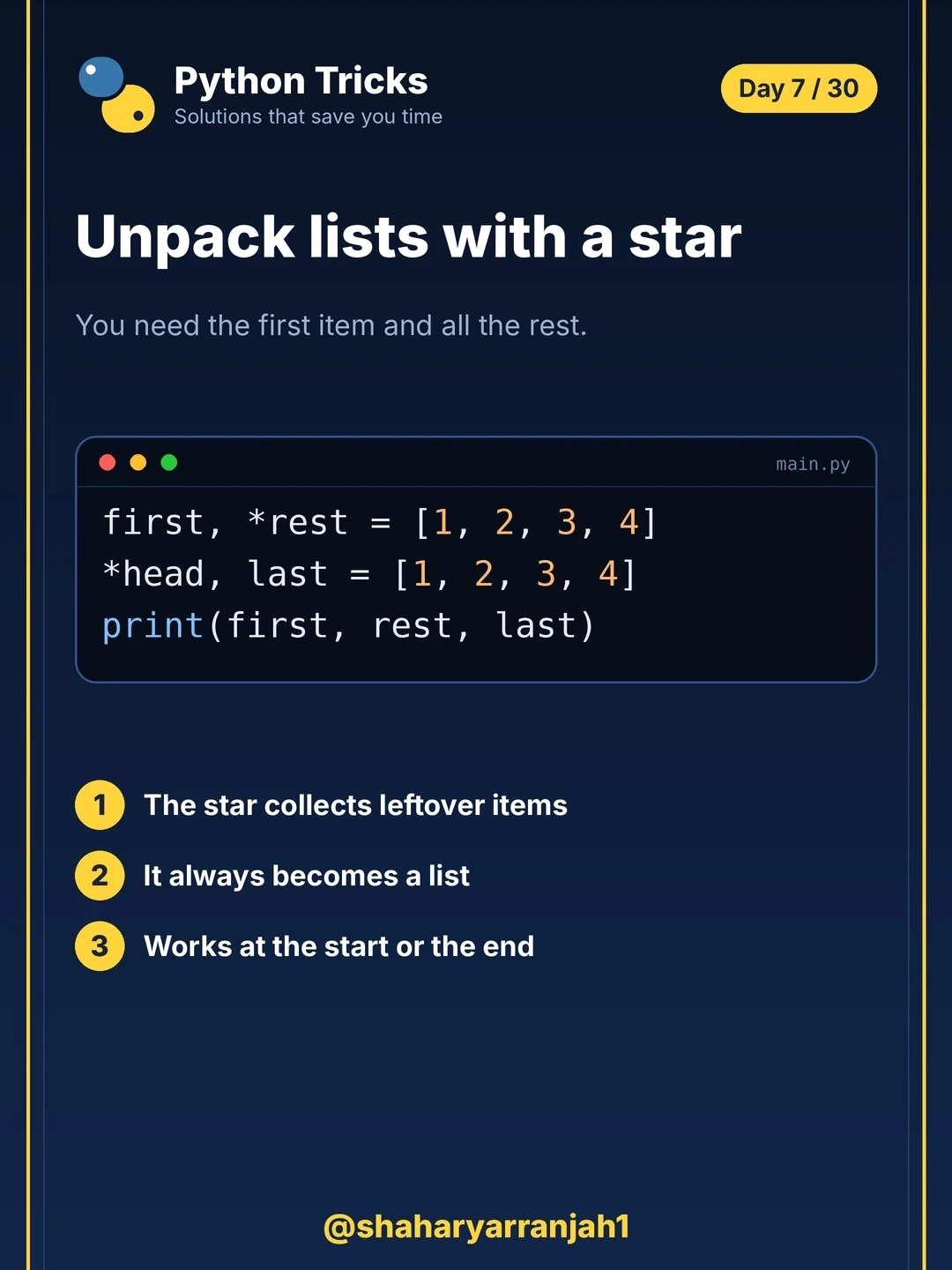
🐍 Python Trick Day 7/30 | Unpack Lists Like a Pro Using the Star Operator ⭐
🔥 Want to write cleaner and smarter Python code? Here is a powerful Python feature every developer should know!
Meet Starred Unpacking in Python ⭐
Python allows you to extract specific elements from a list while collecting all the remaining elements into another variable.
💡 Why is this useful?
✅ Extract the first element and collect the remaining items
✅ Get the last element without manually counting
✅ Collect multiple values into a single list
✅ Write cleaner and more readable code
✅ Reduce unnecessary indexing and slicing
🚀 3 Important Things to Remember
1️⃣ The star operator collects all leftover elements.
2️⃣ The collected elements are automatically stored in a list.
3️⃣ You can use starred unpacking at the beginning or end of an assignment.
🎯 Where can you use this?
🔹 Data processing and analysis
🔹 Working with lists and collections
🔹 Handling API responses
🔹 Python automation scripts
🔹 Machine Learning data preparation
🔹 Everyday software development
🧠 PYTHON CHALLENGE
If a list contains four numbers and you unpack the first element separately while collecting the rest, how many elements will be stored in the remaining list?
💬 Drop your answer in the comments!
📌 Save this post because small Python tricks can make a big difference in your coding journey.
🔁 Share this with a friend who is learning Python.
👨💻 Follow @shaharyarranjah1 for daily Python tricks, AI tutorials, Machine Learning, programming tips and software engineering knowledge.
#Python #PythonProgramming #PythonTips #PythonTricks #LearnPython #PythonDeveloper #Coding #Programming #CodingTips #PythonForBeginners #100DaysOfCode #SoftwareEngineering #MachineLearning #ArtificialIntelligence #DataScience #DeveloperCommunity #CodeNewbie #TechEducation #CodeWithShaharyar #shaharyarranjah1









Comments